
Boss Drew Their Direct Report? How to Keep Managers and Employees From Matching in Secret Santa
To stop a secret santa manager and direct report from drawing each other, add every reporting line as an exclusion before you draw: when you add each employee, pick their manager under Don't pair with, and the pair can't match in either direction. Then check that every manager still has enough people outside their own team to draw, or the draw can't work.
The free Secret Santa generator handles this with its built-in exclusions. You don't need an account or anyone's email. This guide shows the exact steps, the order to enter people in so it's quick, worked examples for teams of different sizes, and what to do when the generator tells you the rules are too tight.
🎁 Quick Secret Santa Name Draw
Type everyone's name (one per line), then draw. Nobody gets themselves. Each person taps their own name to see who they're buying for.
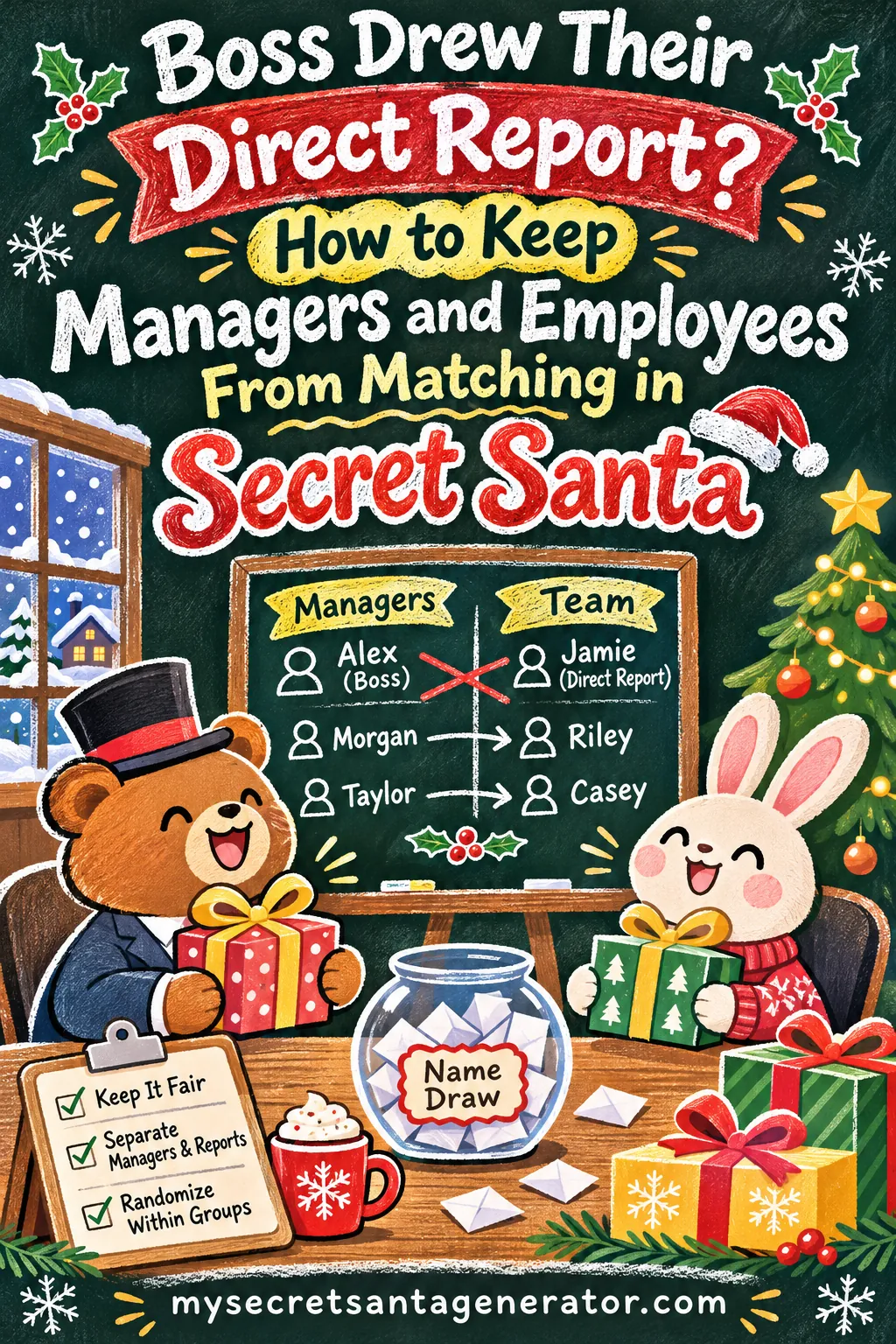
Why Manager and Direct Report Matches Feel Awkward
A Secret Santa is supposed to be a light, level game. Everyone gives one small gift and gets one. Reporting lines quietly tilt that balance.
When the manager draws their own report, the gift can feel loaded. Is a nice gift a sign of favor? Is a plain gift a hint about the next review? Other team members may notice and wonder why one person got a thoughtful present from the boss. Even a well-chosen gift can come across as a perk.
When the employee draws their own manager, the pressure runs the other way. The employee may worry about spending too little and looking careless, or spending too much and looking like they're angling for something. Many people find buying for their boss stressful in any setting, and the guessing game turns into a performance.
There's also a privacy side. A manager knows things about their reports from work conversations: health leave, family events, money worries. Using that knowledge to pick a gift can feel intrusive, even when it's kindly meant.
None of this means managers can't play. They absolutely can. The goal is just to make sure the people who sit on each side of a performance review don't end up as each other's Santa. That's what reporting-line exclusions do.
Who counts as a direct report?
Keep it simple. A direct report is anyone whose manager:
- writes or signs off on their performance review,
- approves their time off or schedule, or
- decides their pay, promotions or assignments.
If two people share any of those links, exclude them from each other. Dotted-line reporting, team leads and skip-level managers are a judgment call. There's a section on them below.
How to Do It With the Free Tool (Exact Settings)
Here's the full setup in the free online Secret Santa generator. The trick is entering people in the right order, because exclusions can only point to people who are already in the list.
Step 1: Sketch your reporting lines
Before you open the tool, write down each manager and the people who report to them. A simple list is enough:
- Dana (manager): Eli, Farah, Gus
- Priya (manager): Quinn, Rosa, Sam, Theo
- No reports: Uma, Victor
This takes two minutes and saves you from missing someone halfway through.
Step 2: Set up the event
Click Draw Names Now and fill in the setup screen:
- Event Name: Something like "Team Winter Gift Exchange."
- Exchange Date: Your swap day. It shows on everyone's reveal screen.
- Gift Budget: Pick one of the six budget buttons. A low tier keeps gifts level across job titles, which matters more than usual when managers and employees are in the same draw.
- Theme (optional): Office Party works for most teams.
- Message to Participants (optional): Mention the cap and the swap day. You don't need to explain the exclusions here.
Click Add People.
Step 3: Add the managers first
Add each manager before anyone who reports to them. For Dana, type "Dana" in Name, add her wish list if you have it, leave Don't pair with empty, and click Add Person. Do the same for Priya.
Why this order? The Don't pair with dropdown only lists people already in your group. If you add Eli before Dana, Dana isn't in the dropdown yet, and you can't set the rule on Eli's entry.
Step 4: Add each report and pick their manager
Now add the reports. For Eli:
- Type "Eli" in Name and paste his wish list into Wishlist.
- Open Don't pair with, choose Dana, and click + Add. A small tag appears under the dropdown.
- Click Add Person.
Repeat for Farah and Gus with Dana, then Quinn, Rosa, Sam and Theo with Priya. Add Uma and Victor last with no exclusions (unless they need one for another reason, like a couple who both work on the team).
The rule works in both directions. When you exclude Dana on Eli's entry, the tool also adds Eli to Dana's list. In the group list, Dana's card will now read "Won't pair: Eli, Farah, Gus," and each report's card shows Dana.
You can add more than one exclusion per person. Pick a name, click + Add, pick another, click + Add again. Each one shows as its own tag before you save the person.
Step 5: Check the summary and draw
Click Draw Names. The summary screen shows the event, date, budget, number of people and an Exclusions line listing every rule. Read that line once. Each manager should appear with all of their reports.
Then click Draw Names Now! The generator matches everyone at random. Nobody draws themselves, and no excluded pair can match.
If the rules make a valid draw impossible, or very hard to find, you'll see this message instead of results: "Couldn't find a valid draw — try reducing exclusions or adding more people." Nothing is forced and no bad match is made. The section on draw math below explains what to change.
Step 6: Reveal privately
After the draw, click Generate and Copy to get a reveal link, and send it to the group. Each person opens it on their own phone and taps their own name. If you're all in one room, Reveal Here (Pass Device) lets people tap their names one at a time on a single device.
If you're a manager or in HR and you're also playing, don't open Organizer View. It lists every match, which would spoil the surprise and make you the one person who knows who's buying for whom.
Fixing a mistake
There's no edit button for a person once they're added. If you set the wrong exclusion, click the ✕ next to that person to remove them, then add them again with the correct rule. Removing someone also clears them from everyone else's exclusion lists, so re-add their rules too. Have their wish list handy to paste back in.
Map Your Reporting Lines Before You Draw
The setup is fast once you know who reports to whom. The slow part is usually the org chart, especially in teams with a mix of full-time staff, part-timers and people on loan from other departments. A short worksheet clears it up.
Make a table with one row per person who opted in, and fill in these columns:
| Person | Reports to | Also exclude | Enter order |
|---|---|---|---|
| Dana | (director, not playing) | none | 1 |
| Priya | (director, not playing) | none | 2 |
| Eli | Dana | none | 3 |
| Farah | Dana | Gus (couple) | 4 |
| Gus | Dana | Farah (couple) | 5 |
| Quinn | Priya | none | 6 |
| Rosa | Priya | none | 7 |
| Sam | Priya | none | 8 |
| Theo | Priya | none | 9 |
| Uma | Priya's peer, no reports | none | 10 |
| Victor | Dana's peer, no reports | none | 11 |
A few tips for filling it in:
- Only list people who opted in. If a manager isn't playing, their reports don't need an exclusion for them.
- Sort by level. Put the most senior players at the top. That gives you the right entry order automatically.
- Use the "Also exclude" column for anything else. Couples who work together, people who share a desk and already swap gifts, or roommates.
- Count exclusions per manager. You'll use this number in the next section to check the draw can still work.
In the example above, Farah and Gus are a couple. When you add Gus, you'd pick both Dana and Farah under Don't pair with, clicking + Add after each. Farah's exclusion with Gus is then created automatically, since the rule runs both ways.
When you don't have an org chart
Plenty of organizers are a coworker who volunteered, not someone with access to HR records. That's fine. You don't need a formal chart, just an accurate answer to one question per person. Add a line to your sign-up form or opt-in reply:
Who is your direct manager? (We'll make sure you don't draw each other.)
Most people answer in a few words. A few things to watch for when the replies come in:
- Two people name each other. It happens with co-leads. Treat them as peers unless one writes the other's review.
- Someone names a manager who isn't playing. No exclusion is needed for that pair.
- Someone leaves it blank. Send a short private message to check rather than guessing.
- A manager was recently changed. Use the current manager. A reorg next month doesn't affect this year's swap.
Asking this way also tells everyone up front that the rule exists, which heads off the "what if I draw my boss?" worry before it starts.
For a deeper look at how exclusions work in general, including couples and households, see our Secret Santa exclusions guide.
Worked Examples With Real Numbers
Here are three common workplace setups, from easy to tricky, with the exact exclusions and what the generator does with them.
Example 1: A 12-person office with two teams
The group: Two managers, Ana and Raj. Ana has three reports, Raj has three. Four more people don't manage anyone and don't report to Ana or Raj.
- Players: 12
- Exclusions: 6 (Ana with each of her 3 reports, Raj with each of his 3)
- Entry order: Ana, Raj, then Ana's three reports (each picks Ana), Raj's three reports (each picks Raj), then the four others
Can the draw work? Easily. Ana can't draw 3 people (plus herself), so she has 8 possible recipients. Each of her reports has 10 possible recipients. Same for Raj's side. The generator finds a valid draw on the first click almost every time.
Example 2: A 30-person department with a director
The group: A director, three managers with 8 reports each, and 2 coordinators who report straight to the director. That's 1 + 3 + 24 + 2 = 30 players.
Option A: direct lines only.
- Director excluded from the 3 managers and 2 coordinators: 5 exclusions
- Each manager excluded from their 8 reports: 24 exclusions
- Total: 29 exclusions
- Entry order: Director, then the 3 managers and 2 coordinators (each picks the director), then each manager's 8 reports (each picks their manager)
The director can still draw any of the 24 team members, and each manager has 20 people outside their own team and the director. The draw works without trouble.
Option B: add skip-level exclusions too. Some departments also want to keep the director away from everyone in their reporting tree. That means each of the 24 reports also excludes the director.
- Extra exclusions: 24
- Total: 53 exclusions
- The problem: The director is now excluded from all 29 other players. There's nobody left for the director to draw, and nobody left who can draw the director.
The generator will show its warning, because no valid draw exists. You have three fixes:
- Go back to direct lines only for the director (Option A).
- Invite people outside the department, such as a neighboring team, so the director has someone to draw.
- Leave the director out of the draw and let them give a small treat to the whole group on swap day instead.
Example 3: One manager and five reports
The group: A small team of six. Mo manages all five others, and everyone opted in.
- Exclusions: 5 (Mo with each report)
- Result: Mo is excluded from every other player. The draw is impossible, and the generator says so.
Fixes that work:
- Add one outsider. With a seventh person, say someone from the team down the hall, Mo and the outsider must draw each other, and the five reports draw among themselves. It's valid, but the generator has fewer good shuffles to find, so you may need to click Draw Names Now! a second or third time. Each click tries a fresh batch of random shuffles.
- Add two or three outsiders. The draw is much more flexible and comes out on the first try.
- Mo sits out. Mo skips the draw and brings a small treat for the team, and the five reports run their own swap.
- Ask the team. In a small, close team, some people are happy to keep the manager in with no exclusions. If you do this, make it a team decision, not a manager's request.
Will the Draw Still Work? A Quick Check
The generator won't make an unfair or impossible match. If it can't find a draw that respects every rule, it stops and tells you. But it's quicker to spot problems before you click.
The one-line test
For every player, count the people they can still draw: everyone in the group, minus themselves, minus their exclusions. If anyone ends up at zero, the draw can't work.
It's not the only way a draw can fail, but in real workplaces it's by far the most common one. It nearly always involves the most senior person, who is linked to the most people.
Rules of thumb
| Situation | Will it work? | What to do |
|---|---|---|
| Every manager has at least 3 people outside their own team | Yes, easily | Draw as normal |
| A manager has exactly 1 person outside their team | Yes, but tight | Draw, and click again if you see the warning |
| A manager manages everyone else in the draw | No | Add outsiders, or the manager sits out |
| A director has skip-level exclusions with the whole department | No | Use direct lines only, or add another team |
| One person has more exclusions than half the group | Often slow | Loosen a rule that isn't about reporting lines |
| The group is under 6 people with a manager in it | Often tight | Add people from a neighboring team |
Quick guide by team size
- 3 to 5 players: The generator needs at least 3 people to draw. With a manager in a group this small, the manager is likely linked to most of the others. Bring in another small team, or let the manager sit out.
- 6 to 10 players: Works well if the manager has at least 2 or 3 people from outside their team in the draw. A mix of two small teams is ideal.
- 11 to 25 players: The sweet spot. Two or three managers with their teams, plus a few people from other roles, gives the generator plenty of valid matches.
- 26 players and up: Direct-line exclusions are rarely a problem at this size. Watch only for the most senior person if you add skip-level rules. For very big groups, our tips on running a draw for 20 or more people apply here too.
What the warning really means
The generator tries a batch of random shuffles each time you click Draw Names Now! and keeps the first one that respects every rule. In a group with lots of exclusions and very few valid shuffles, it can miss them all in one batch even when a draw exists. That's why clicking again sometimes works.
If you click three or four times and still see the warning, treat it as a sign the rules are too tight. Run the one-line test above, then remove the least important exclusion (usually a skip-level or optional rule, never a direct line) or add a few more players.
Other Work Pairings Worth Excluding
Direct reporting lines are the main one, but a few other workplace links can make a match feel off. You don't have to exclude all of them. Pick the ones that matter for your team, and keep the total low so the draw stays flexible.
| Pairing | Exclude? | Why |
|---|---|---|
| Manager and direct report | Yes | Reviews, pay and time off sit between them |
| Skip-level (director and a manager's reports) | Optional | Less direct, and it can make the draw impossible for the top person |
| Dotted-line or project lead | Optional | Exclude if the lead gives formal feedback on reviews |
| Mentor and mentee | Optional | Usually fine, but some pairs prefer to skip it |
| Couples who work together | Yes | They already buy for each other |
| HR partner and the people they support | Optional | Exclude if the HR person handles their cases |
| Intern and their supervisor | Yes | Same as a manager and direct report |
| Job-share partners | Optional | Often exchange small gifts anyway |
A good rule: exclude anyone with power over the other person's job, and anyone who already buys for them. Leave everything else to chance.
Peers who don't get along
Organizers sometimes ask about excluding two coworkers who clash. You can, and the tool will quietly keep them apart. Use it sparingly, though. If tension between two people is serious enough that a small anonymous gift would be a problem, that's a conversation for their manager, not a draw setting.
Keeping It Fair Beyond the Draw
Exclusions solve the matching problem. A few more habits keep the whole exchange feeling level across job titles.
Same cap for everyone
Managers sometimes want to give a bigger gift as a thank-you. In a Secret Santa, that tilts the game, because whoever drew the manager gets a much better present than everyone else. Set one budget button for the whole group and ask managers to stick to it. If a manager wants to thank the team, a separate group treat on swap day does that without touching the draw.
Gifts for senior people
Even with direct lines excluded, someone will draw a senior person from another team. That can still feel like pressure. Remind everyone that the cap is the cap, and point them to the wish list. If you want ideas to share, our list of Secret Santa gifts for your boss keeps things professional and friendly.
Keep the organizer out of the matches
If the organizer is a manager, an HR person or an office lead, the safest setup is to never look at the full list. Send the reveal link and let everyone tap their own name. Skip Organizer View, which shows every match at once. If someone later asks you to check who has whom, you can honestly say you don't know.
Keep it optional
A manager who personally invites their own team can make joining feel less than voluntary. Let the organizer, not the managers, send the invite, and use opt-in replies sent privately. Only enter people who said yes. For more on keeping things friendly, see our Secret Santa etiquette guide.
A timeline for a workplace draw with exclusions
Reporting-line rules add one step to the usual plan: confirming who reports to whom. Build it into your schedule so it doesn't hold up the draw.
| When | What to do |
|---|---|
| 4 weeks before swap day | Send the opt-in invite and ask each person to name their direct manager |
| 3 weeks before | Close sign-ups, fill in your reporting-line worksheet and check any blanks privately |
| 3 weeks before | Enter managers first, then reports with their exclusions, check the summary and draw |
| 3 weeks before | Send the reveal link so everyone sees their match on their own phone |
| 2 weeks before | Send a reminder about the cap, wish lists and the swap day |
| 1 week before | Remote players mail gifts, and check your carrier's official holiday shipping dates |
| Swap day | Swap gifts, and thank everyone for taking part |
If a late sign-up arrives after the draw, add them with their manager picked under Don't pair with and use Redraw. Everyone then needs to open the link again for their new match, so do it as early as you can.
Scripts you can copy
Invite that mentions the rule:
Our Team Winter Gift Exchange is open to anyone who'd like to join. Reply to me by Friday if you're in. To keep it fun and fair, nobody will draw their own manager or their own direct report.
If a manager asks to stay in their team's pool:
Thanks for wanting to be part of it! We're keeping managers and direct reports apart for everyone this year so nobody feels any pressure either way. You'll still draw someone and get a gift.
If the draw needs a manager to sit out:
Our team is small enough that the draw can't work with the manager rule in place. Would you be up for skipping the draw this year and bringing a small treat for the group instead? Everyone else will run the swap as planned.
If someone asks why there's a rule at all:
It's just to keep gifts between managers and their teams off the table, so nobody worries about what the gift says. It's the same rule for everyone.
Troubleshooting
| Problem | Likely cause | Fix |
|---|---|---|
| A report's name isn't in the Don't pair with list | The person you want to pick hasn't been added yet | Add managers first, then their reports |
| A manager's card doesn't show all their reports | One report was added without the rule | Remove that report with ✕ and add them again with the manager picked |
| The generator says it couldn't find a valid draw | A manager or director has no one left to draw, or the rules are very tight | Run the one-line test, click Draw again, then loosen a rule or add people |
| Someone joins after the draw | Late sign-up | Add them with their exclusion, click Redraw, and ask everyone to check the link again |
| Someone leaves after the draw | Change of plans | Remove them and Redraw so their giver and recipient both get new matches |
| A team changes manager mid-season | Reorg | Remove and re-add the affected people with the new manager, then Redraw |
| You can't remember which rules you set | Long list of exclusions | Check the Exclusions line on the Draw summary screen |
| The organizer saw the full list by accident | Opened Organizer View | Redraw before anyone reveals, and skip that view next time |
Starting fresh
The exchange is saved in your browser, so you can close the tab and come back to add people later. If the rules got tangled and you want a clean start, finish your list on paper first, then use New Exchange and enter everyone again in level order. It's often faster than fixing several entries one by one.
Ready to Set It Up?
Map your reporting lines, add managers first, pick each person's manager under Don't pair with, and check the summary before you draw. If you'd like more on running the whole event, our office Secret Santa guide covers timing, budgets and party ideas. When your list is ready, open the free Secret Santa generator and draw. It's free, there's no sign-up, and nobody ends up buying for their boss.
Frequently Asked Questions
Should a manager and their direct report be able to draw each other in Secret Santa?
Most workplaces prefer to prevent it. A gift between a manager and their own report can feel like favoritism or pressure, even when it's kindly meant. Adding an exclusion for each reporting line before the draw keeps those pairs apart.
How do I stop my boss from drawing me in Secret Santa?
Ask the organizer to add a reporting-line exclusion before names are drawn. In the free generator, that means picking the manager under Don't pair with when your name is added. The pair can't match in either direction.
Do exclusions work both ways?
Yes. When you exclude a manager on a report's entry, the generator also adds the report to the manager's list. You only need to set each rule once.
Why can't I find the manager in the Don't pair with list?
The list only shows people who are already in your group. Add every manager before their reports. If you've already added a report without the rule, remove them and add them again.
What if the generator says it couldn't find a valid draw?
It means the rules left someone with no one to draw, or made valid matches very rare. Click Draw again once or twice, since each click tries a new batch of shuffles. If it still fails, remove a non-essential exclusion or add more players.
Can a manager whose whole team is in the draw still play?
Only if there are people outside their team in the draw too. If the manager manages everyone else, they'll have nobody to draw. Add people from a neighboring team, or let the manager sit out and bring a group treat.
Should I exclude skip-level managers too?
It's optional. It keeps senior leaders away from everyone in their reporting tree, but it can leave the top person with nobody to draw. Check that the director still has people outside their tree before you add those rules.
Can the organizer keep the matches secret if they're a manager?
Yes. Send the reveal link and let everyone tap their own name, and don't open Organizer View. That way the organizer plays like everyone else and never sees the full list.