Secret Santa Spreadsheet: How to Set One Up (+ Template)
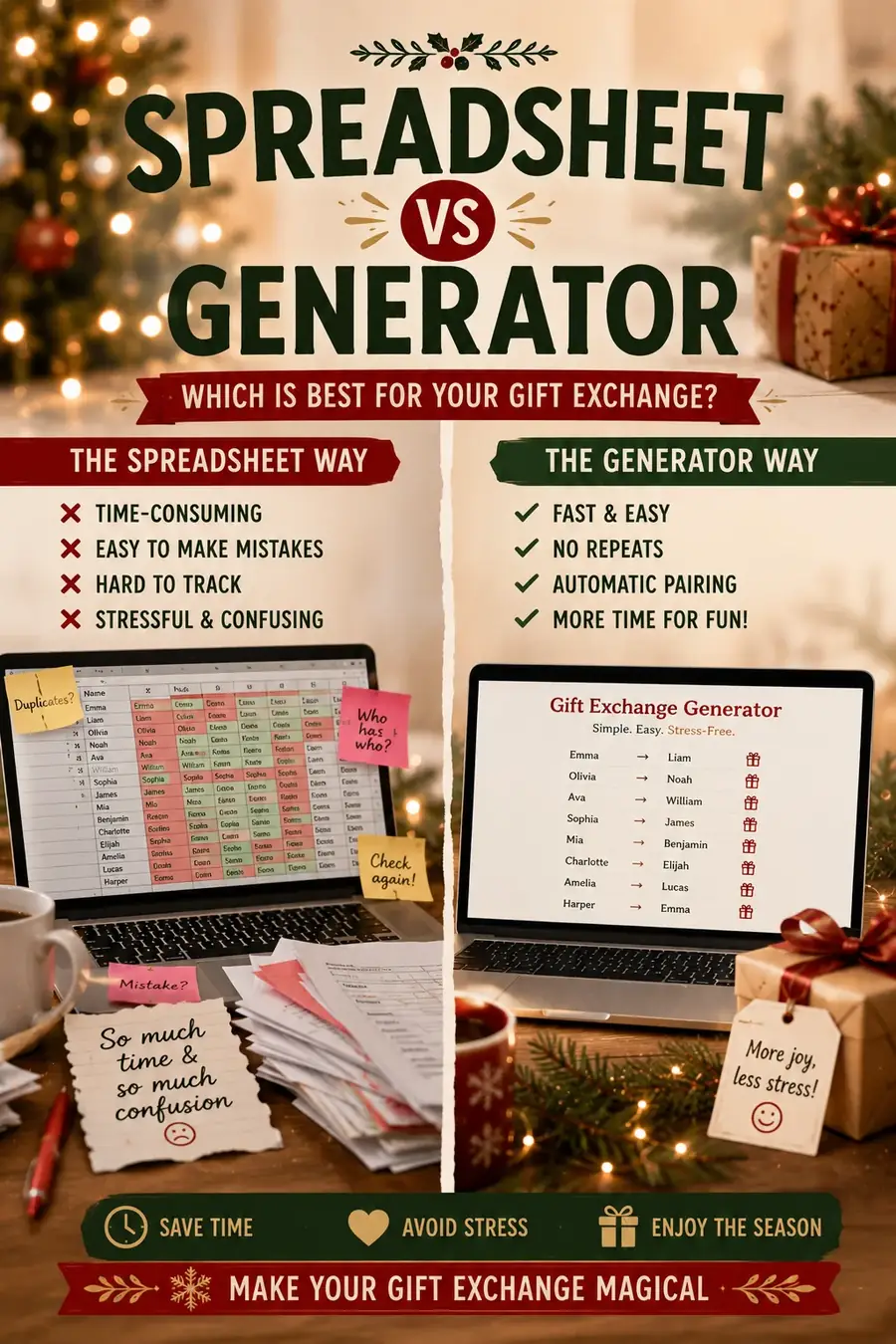
If you are the person running the gift exchange this year, a Secret Santa spreadsheet feels like the obvious tool. You already track everything else in one — the potluck sign-ups, the group budget, the holiday party headcount — so why not the name draw too? A secret santa spreadsheet is free, familiar, and lets you see the whole exchange in one grid.
Here is how to build a Secret Santa spreadsheet that actually earns its keep, the columns worth including, and a plain-English way to run the random draw inside it. But I also want to be honest with you about where a spreadsheet quietly falls apart — because the one job you most want it for, keeping the pairings secret, is the one job it cannot really do.
What a Secret Santa Spreadsheet Is For
A spreadsheet is genuinely great at the boring, essential parts of organizing an exchange. Think of it as the exchange's clipboard rather than its brain.
The jobs it does well:
- Tracking participants — one clean list of everyone who is in, so nobody gets forgotten and nobody gets counted twice.
- Collecting wishlists — a place to paste the "here are three things I'd love" replies as they trickle in, instead of digging through a group chat.
- Setting and recording budgets — a shared number everyone can see, plus a column if some people opted into a higher tier.
- Keeping notes — allergies, "no scented anything," shipping addresses for a remote exchange, or who is covering for the person who dropped out.
- Following the flow — once names are assigned, a column to mark who has bought their gift and who still needs a nudge.
Notice what is missing from that list: the draw itself. Tracking is where a spreadsheet shines. Secrecy is where it struggles, and we will get to why.
Columns to Include
You do not need a complicated setup. One tab, a header row, and one row per person is enough. Here are the columns worth having:
| Column | What goes in it |
|---|---|
| Name | Each participant, one per row |
| For sending assignments or reminders | |
| Wishlist | Two or three gift ideas, or a link |
| Budget | The agreed limit (or their tier) |
| Assigned To | Who this person is buying for |
| Gift Bought | Yes / No, so you can track progress |
| Notes | Allergies, address, exclusions, anything else |
A few tips on the columns:
- Keep Wishlist loose. "Cozy socks, good coffee, anything sci-fi" is more useful to a gifter than one hyper-specific item that might already be bought.
- The Budget column matters most when you have let people opt into a bigger spend. If everyone is at one number, a single note at the top is fine.
- Notes is where the real logistics live. Dietary restrictions, "ships to Denver," or "do not pair with their ex" all belong here.
Add columns if your exchange needs them — a "Confirmed" checkbox, a "Thank-you sent" column for a formal group — but resist the urge to over-engineer. The more columns you add, the more the sheet becomes a chore nobody wants to update.
How to Do the Random Draw in a Spreadsheet
Say you want the spreadsheet to handle the assignment too. Here is the simplest honest version of how people do it, explained without any formula jargon.
- List every name in a column. Say column A, rows 2 through 11 for ten people.
- Add a random number beside each name. In the next column, put a
=RAND()formula in each row. Every name now has a random value next to it. - Sort by that random column. Sorting shuffles the whole list into a random order — like cutting a deck of cards.
- Pair each person with the next one down. After the shuffle, person in row 2 gives to person in row 3, row 3 gives to row 4, and so on. The last person in the list wraps around and gives to the very first. That "wrap around" is what stops anyone from being left without someone to buy for.
That is the whole trick: shuffle the list, then everyone buys for the neighbor below them, with the last looping back to the top.
Two warnings, and please do not skip these.
First, a plain shuffle can pair someone with themselves if you are not careful about how you offset the columns. The wrap-around "give to the next row" method above avoids it, but many quick tutorials skip that step, and then someone draws their own name. Always eyeball the finished list to confirm nobody is assigned to themselves.
Second — and this is the big one — the moment you type these pairings into a sheet, they exist in plain sight. Anyone who opens the file, sorts a column differently, or glances over your shoulder can read who has whom. Which brings us to the real problem.
The Big Problem With Spreadsheet Draws
Here is the thing no spreadsheet tutorial says out loud: you, the organizer, see every single pairing. You built the sheet. You ran the shuffle. The assignments are sitting right there in the "Assigned To" column, in your file, forever.
That means:
- You never get to be surprised. You are supposed to be a participant too, but you already know your own giver and everyone else's. The mystery is gone for you before it starts.
- The file leaks easily. A shared Google Sheet, an emailed copy, a spreadsheet left open on a laptop at the party — any of these can spill the whole thing. Once one person sees the grid, the secret is not a secret.
- Exclusions are painful and error-prone. Real exchanges have rules: couples should not draw each other, someone should not repeat last year's person, the two who do not get along should stay apart. In a spreadsheet you enforce these by re-shuffling and manually checking, over and over, until it happens to work. It is slow, and it is exactly the kind of task where a tired organizer misses one and pairs the couple anyway.
- A re-shuffle can undo an already-sent assignment. If you emailed people before spotting a problem and then re-run
=RAND(), everyone's pairing changes. Now half the group has the wrong name.
None of this makes a spreadsheet useless. It just means the spreadsheet is fighting its own nature: it is a tool built to show you everything, being asked to hide something from you.
When to Use a Generator Instead
If the tracking is what you love about spreadsheets, keep the spreadsheet for that. But hand the draw to a tool built for secrecy. A Secret Santa generator exists to solve the exact problems a spreadsheet cannot:
- Private assignments. Each person is told only their own match, usually by email or a private link. Nobody sees the full list — not even you.
- The organizer stays in the dark too. You can run the draw and still be a genuine participant, surprised like everyone else.
- Automatic exclusions. Set the rules once — couples apart, no repeats from last year, keep these two separated — and the generator only produces a valid draw. No re-shuffling, no manual checking, no missed pairing.
- No self-matches, ever. The tool simply will not assign anyone to themselves, so there is nothing to eyeball.
- Instant re-draws. If someone drops out, regenerate cleanly instead of untangling a grid of formulas.
The nicest workflow is to use both: the spreadsheet for wishlists, budgets, and progress tracking, and the generator for the one thing it does better — the secret draw itself.
A Simple Tracking Template
Here is a layout you can recreate in about two minutes in Google Sheets or Excel. Use it purely for tracking, and let a generator handle the pairings.
Top of the sheet (a small header block):
- Row 1: Exchange name and the date of the swap.
- Row 2: The budget everyone agreed on.
- Row 3: The draw deadline and the gift-bought-by deadline.
The main table below it, one row per person:
| Name | Wishlist | Budget | Gift Bought | Notes | |
|---|---|---|---|---|---|
| Maya | [email protected] | Cozy socks, good coffee | $25 | Yes | No nuts |
| Devon | [email protected] | Sci-fi books, puzzles | $25 | No | Ships to Denver |
| Priya | [email protected] | Candles, tea sampler | $25 | No | — |
Notice there is no "Assigned To" column in this version — that is on purpose. You let the generator keep the pairings private, and your sheet stays safe to share with the whole group. Everyone can open it, add their wishlist, and check the budget without ever glimpsing who has whom.
If you would rather keep the assignments in the sheet anyway, at least keep that column in a separate, private tab that only you can see, and never share the live file. But honestly, the cleaner path is to let the sheet do tracking and let the draw stay somewhere it can actually be kept secret.
Frequently Asked Questions
Can you run a Secret Santa entirely in a spreadsheet?
You can, using a =RAND() shuffle to assign names, but you lose real secrecy — as the person who built the sheet, you see every pairing, and the file can be opened by anyone it is shared with. A spreadsheet is best for tracking wishlists, budgets, and progress, with a generator handling the private draw.
How do I do the random draw with a formula?
List every name, put =RAND() beside each, sort by that random column to shuffle, then have each person give to the name in the row directly below them, with the last person looping back to the first. Always check that nobody ended up assigned to themselves.
Why is a spreadsheet bad at keeping the draw secret?
Because the assignments sit in plain text in a file you can open, sort, and share. The organizer inevitably sees everyone's match, and a single shared or emailed copy can reveal the whole exchange to the group.
What is the best way to handle exclusions like couples or repeats?
A generator lets you set exclusion rules once and only produces a valid draw. In a spreadsheet you have to re-shuffle and manually verify each rule every time, which is slow and easy to get wrong.
A spreadsheet is a wonderful home for the wishlists, the budget, and the "did they buy it yet" tracking — keep it for exactly that. Just let the secret part stay secret, so you can enjoy the surprise right along with everyone else. Happy organizing, and happy swapping.